What does a solid blue light mean on my router?
Learn what a solid blue light on your Orbi router means, how to fix it if it stays on too long or doesn’t show up at all.

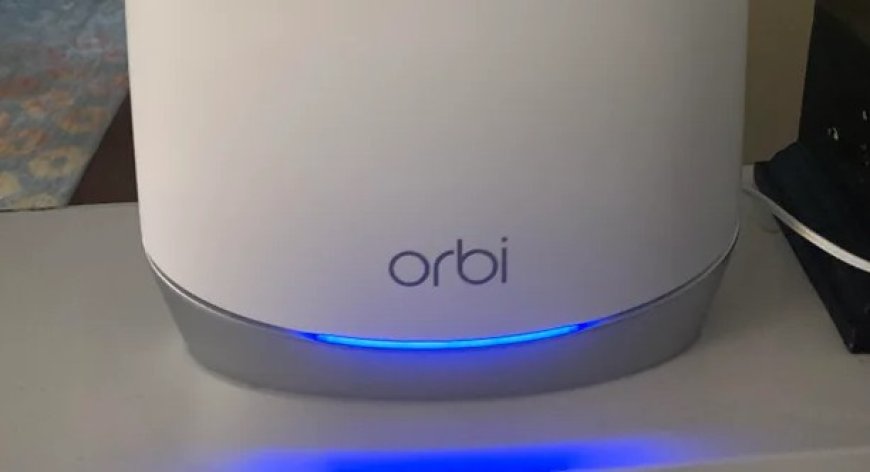
When you set up or monitor your home internet network, you may notice a range of light indicators on your router. These LED lights are not just for designs but they provide a lot of information about your network connection. One of the most common lights among them is the solid blue light. These lights provide essential details about your connection status. One of the most commonly seen indicators is the solid blue light. This solid blue light is considered as a positive signal. It only appears for 10 seconds and afterwards disappears.
In this guide we will break down what each Orbi light color means and especially the solid blue light.
Understanding Other Orbi Light Colors
Orbi does not just show a blue light but it uses a few different colors to tell you what is happening with your WiFi connection.
-
Blue (solid): It specifies strong and stable link between satellite and router.
-
Amber/Orange: It states weak connection. Devices are linked, but the signal is not great.
-
Magenta or Purple: No connection. Either the satellite didnt sync, or theres no internet.
-
White (blinking): The device is turning on or trying to sync.
Among all these Orbi light colors, the blue orbi light is the one you want.
If the Blue Light Stays On
Usually, the blue Orbi light appears for a short time after the devices sync and then turns off. But if it stays on, here are a few things that could be causing it:"
1. Devices Got Stuck Syncing
Try unplugging both the router and satellite for 30 seconds then power them back on. That usually clears things up.
2. An Update Might Be Running
Sometimes, Orbi devices show a blue orbi light during firmware updates. Use the Orbi app or log in through a browser to check.
3. Misleading Signal
Yes, sometimes a solid blue light shows even when the connection isnt that great. Run a speed test or try loading a few websites to make sure your networks truly stable.
No Blue Light After Setup?
If you are unable to see a blue light that usually means the sync did not go through. Do not worry. Try this:
-
Move the Satellite Closer: Distance matters. Bring it closer to the router.
-
Check Cables & Power: Confirm that everything is plugged in and turned on.
-
Use the Sync Buttons: Tap the Sync button on both the router as well as the satellite.
-
Wait It Out: Give it a minute or two. Sometimes the connection takes time.
-
Restart or Reset: If nothing works, try restarting both. As a last resort, reset the satellitebut make sure youve saved your WiFi name and password first.
Tips to Keep the Blue Orbi Light On
-
Always confirm t check for the orbi updates. This helps to maintain a stable connection.
-
Choose a best placement to keep the satellite which is not too far and not too close to the router.
-
Try not to place your router or satellite near cordless phones, baby monitors or microwaves. These can disturb your signal.
-
Too many connected devices at once can cause lag. Disconnect devices you dont use often.
After the Blue LightDouble Check Everything
The blue light signifies that everything is working properly but still it is still a good idea to double check.
-
Test the Internet: Open a website or app on your phone or computer to see if everything loads properly.
-
Open the Orbi App: Itll show if devices are connected properly and give signal info.
-
Run a Speed Test: Thatll confirm everythings working at the speed you expect.
Why Learning Orbi Light Colors Helps
Knowing what the different Orbi light colors mean can save you time. Heres why:
-
If the light turns amber, you can shift your satellite a little closer to improve things.
-
If the light is magenta then there is something wrong with the connection.
-
The blue orbi light signifies that everything is in proper working.
Its a small thing that can make managing your WiFi easier without needing tech support every time.
Final Thoughts
If you see a solid blue light on your Orbi router or satellite that specify that everything is working in a right way and there is nothing to worry about. It is advisable not to rely completely on it. Always test your devices or check the app to be sure everythings truly stable.
Once you understand how blue Orbi lights and the other Orbi light colors work, staying on top of your home WiFi becomes a whole lot simpler.