Is Wonderware InTouch Worth the Investment?
Wonderware InTouch, Human Machine Interface, HMI software, Aveva InTouch HMI, Aveva industrial automation software, Wonderware HMI software.

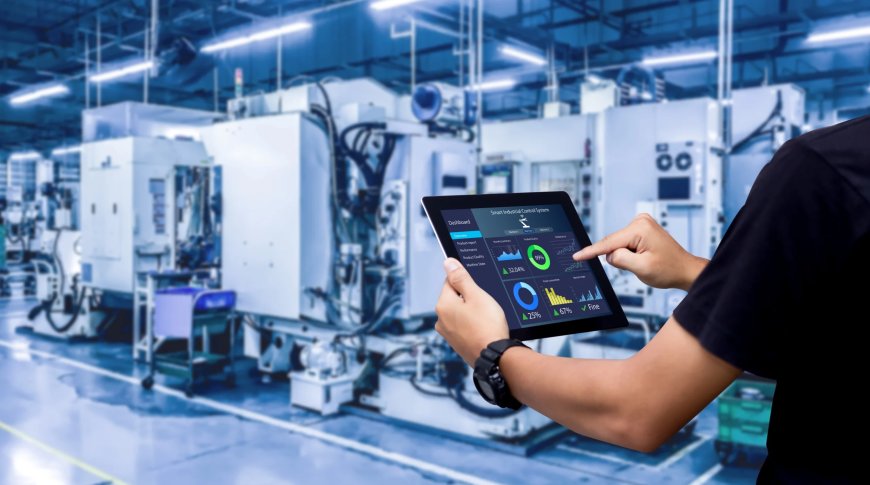
Choosing the right HMI software is a big decision for any industrial business. If you're considering Wonderware InTouch, you're likely wondering whether it's worth the price, time, and effort to get it running in your plant.
With so many HMI and automation solutions in the market, it's smart to ask: Is Wonderware InTouch the best option for your operations? In this blog, we'll explore what Wonderware InTouch offers, how it stacks up, and if it's really a good return on investment.
Whether you're a plant manager, system integrator, or control engineer, this article will help you make an informed choice.
What Is Wonderware InTouch?
Wonderware InTouch is a human machine interface (HMI) software that allows operators to monitor and control industrial processes through interactive graphics.
Originally developed by Wonderware and now part of Aveva industrial automation software, InTouch has been in use for over 30 years and continues to evolve with modern manufacturing needs.
Its known for its:
-
Easy-to-use design tools
-
Real-time data visualization
-
Strong integration with SCADA and PLC systems
-
Wide compatibility with different industries
This software is now officially branded as Aveva InTouch HMI, though many users still refer to it as Wonderware InTouch.
Why Businesses Choose Wonderware InTouch
Lets look at why InTouch continues to be one of the most popular choices in the industrial sector.
User-Friendly Interface
Unlike some HMI software that requires heavy coding or technical skills, InTouch allows users to build visual screens with drag-and-drop tools. This cuts down development time and makes it easier for teams to manage systems.
Trusted for Industrial Use
Thousands of facilities use Wonderware HMI software daily, including plants in:
-
Food and beverage
-
Oil and gas
-
Automotive
-
Pharmaceuticals
-
Water and wastewater
Its trusted in both small operations and large enterprises.
Real-Time Monitoring and Control
Wonderware InTouch provides live process data, alarms, and trends in one view. This helps reduce downtime, avoid mistakes, and keep productivity high.
Key Features of Wonderware InTouch
Wonderware InTouch isnt just another HMI softwareit has powerful tools that support both operations and business goals.
1. Smart Visualization
Operators can view everything from simple pump status to complex production systems, all in one interface.
2. Powerful Scripting and Logic
Advanced scripting features allow you to automate tasks and customize interactions without adding new hardware.
3. Integration with PLCs and SCADA
InTouch works smoothly with leading PLC brands like Siemens, Allen-Bradley, and Schneider Electric. Its also built to connect easily with SCADA systems.
4. Secure by Design
Security is built-in, not added later. User roles, access rights, and audit trails help keep your operations safe.
5. Mobile and Remote Access
With Aveva InTouch HMI, teams can access the HMI screens remotely through mobile devices, tablets, or web browsers.
Cost of Ownership: Is It Affordable?
When investing in any industrial solution, cost is a major concern. Lets break it down:
Initial Licensing
Wonderware InTouch licenses are available in both standalone and client-server models. The cost depends on:
-
Number of clients
-
Tag count (data points monitored)
-
Deployment size
Long-Term Value
While the upfront cost may seem higher than some budget options, the value over time is clear. You save money by:
-
Reducing system errors
-
Avoiding downtime
-
Boosting operator efficiency
-
Extending equipment life through better monitoring
Pima Controls, a trusted partner in industrial automation, can help businesses find the right licensing package that matches their needs and budget.
How Does It Compare to Other HMI Software?
Choosing between different HMI software platforms can be confusing. Lets compare Wonderware InTouch to some other popular tools.
| Feature | Wonderware InTouch | FactoryTalk View | Ignition |
|---|---|---|---|
| User-Friendly Design | ? Yes | ?? Moderate | ? Yes |
| Integration Flexibility | ? High | ? High | ? High |
| Web/Mobile Access | ? Strong | ?? Limited | ? Yes |
| Vendor Lock-in Risk | ? Low | ?? Higher | ? Low |
| Licensing Model | ? Scalable | ?? Complex | ? Flexible |
In short, InTouch stands out for its balance of usability, performance, and reliability.
Who Uses Wonderware InTouch?
Wonderware InTouch is used by:
-
Plant operators who need fast, visual feedback on machines
-
System integrators looking for scalable solutions
-
Maintenance teams who want to reduce downtime
-
IT managers seeking strong security and data access
In fact, its used in over 100,000 facilities worldwide.
Benefits of Choosing Wonderware InTouch
Heres what makes it a smart investment for many operations:
-
Quick learning curve for new users
-
Powerful graphics that improve awareness and response time
-
Reduced downtime with fast alarm and event alerts
-
Better compliance with data logging and reporting
-
Long-term support and updates from Aveva
And with support from local partners like Pima Controls, you also get hands-on help when you need it most.
Will It Work for My Plant?
Wonderware InTouch is designed for flexibility. It supports small batch systems and large enterprise environments.
Ask yourself:
-
Do you need better operator visibility?
-
Do you want to reduce process errors?
-
Are you struggling with outdated HMI systems?
If yes, then InTouch may be exactly what your plant needs.
Common Use Cases
Here are a few ways businesses are using Aveva InTouch HMI today:
-
Monitoring water treatment systems
-
Visualizing food processing lines
-
Managing power distribution
-
Tracking production KPIs in real-time
-
Providing remote visibility to shift managers
How to Get Started with Wonderware InTouch
Getting started is easier than you think. Here are the steps:
-
Evaluate Needs
Define your goals, devices, and how many users will need access. -
Choose the Right License
Work with a partner like Pima Controls to pick the best fit. -
Plan Deployment
Decide if youll use local or cloud hosting, mobile access, and SCADA integration. -
Build Screens
Use InTouchs design tools to set up your process graphics. -
Train Operators
Short training sessions get your team ready to run.
Real Results from Real Users
According to Aveva:
-
Plants using InTouch see up to 40% reduction in downtime
-
Operator errors drop by 25% on average
-
Maintenance teams respond 30% faster to alarms
-
Systems built with InTouch often pay for themselves in under 12 months
These numbers show how much value Wonderware InTouch can deliver.
Final Thoughts: Is It Worth It?
If you need reliable, scalable, and easy-to-use HMI software, Wonderware InTouch is a strong choice. It supports better operations, helps cut costs, and improves visibility across your facility.
While it may not be the cheapest option upfront, the long-term gains in uptime, efficiency, and safety often make it well worth the investment.
And with expert support from Pima Controls, you can be confident your system will perform at its best.
FAQs
What is Wonderware InTouch used for?
Wonderware InTouch is used to monitor and control industrial processes through graphical user interfaces. It helps operators track equipment, view alarms, and manage production in real-time.
Who should use Aveva InTouch HMI?
Its ideal for plant managers, system integrators, and operations teams in industries like food processing, water treatment, oil & gas, and manufacturing.
How much does Wonderware InTouch cost?
The price depends on the number of users, tags, and features. Pima Controls can help with a customized quote based on your needs.
Why choose Wonderware HMI software over others?
Because it offers strong performance, flexible design, wide integration options, and strong vendor supportwithout needing a huge learning curve.
Will Wonderware InTouch work with my existing PLCs?
Yes. It supports major PLC brands like Siemens, Allen-Bradley, Mitsubishi, and more. Its also designed to integrate easily with SCADA systems.
Where can I buy Wonderware InTouch?
You can purchase licenses and get support from Pima Controls, an authorized distributor and automation partner.
If youd like help choosing the right package or want a live demo,reach out to the Pima Controls team today. Theyll guide you through everything from setup to support.